
Changing your notification settings
There are two ways to change your notification settings:
Method 1:
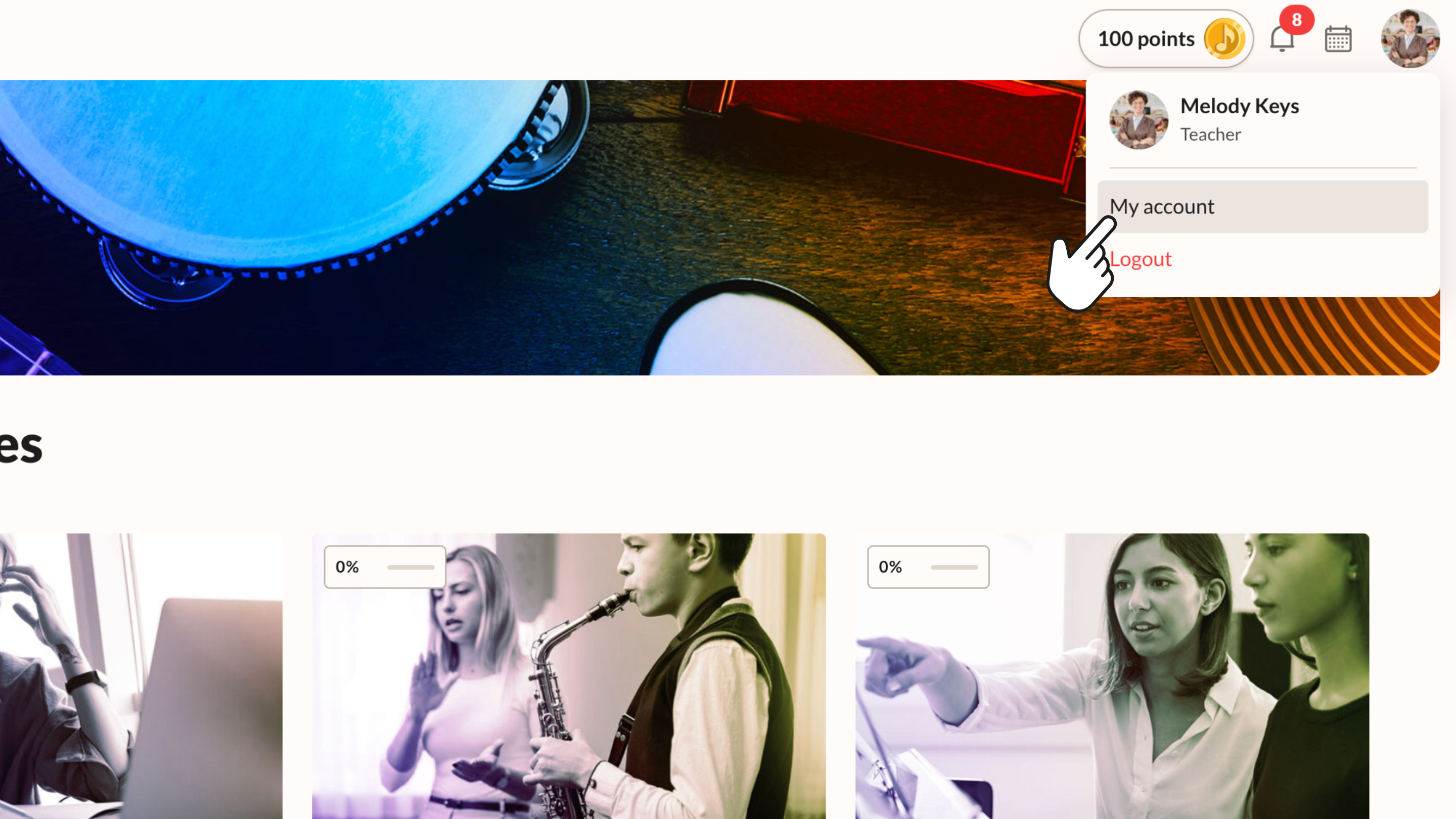
1. Click your profile icon at the top right of the screen.
2. Click ‘My account’.
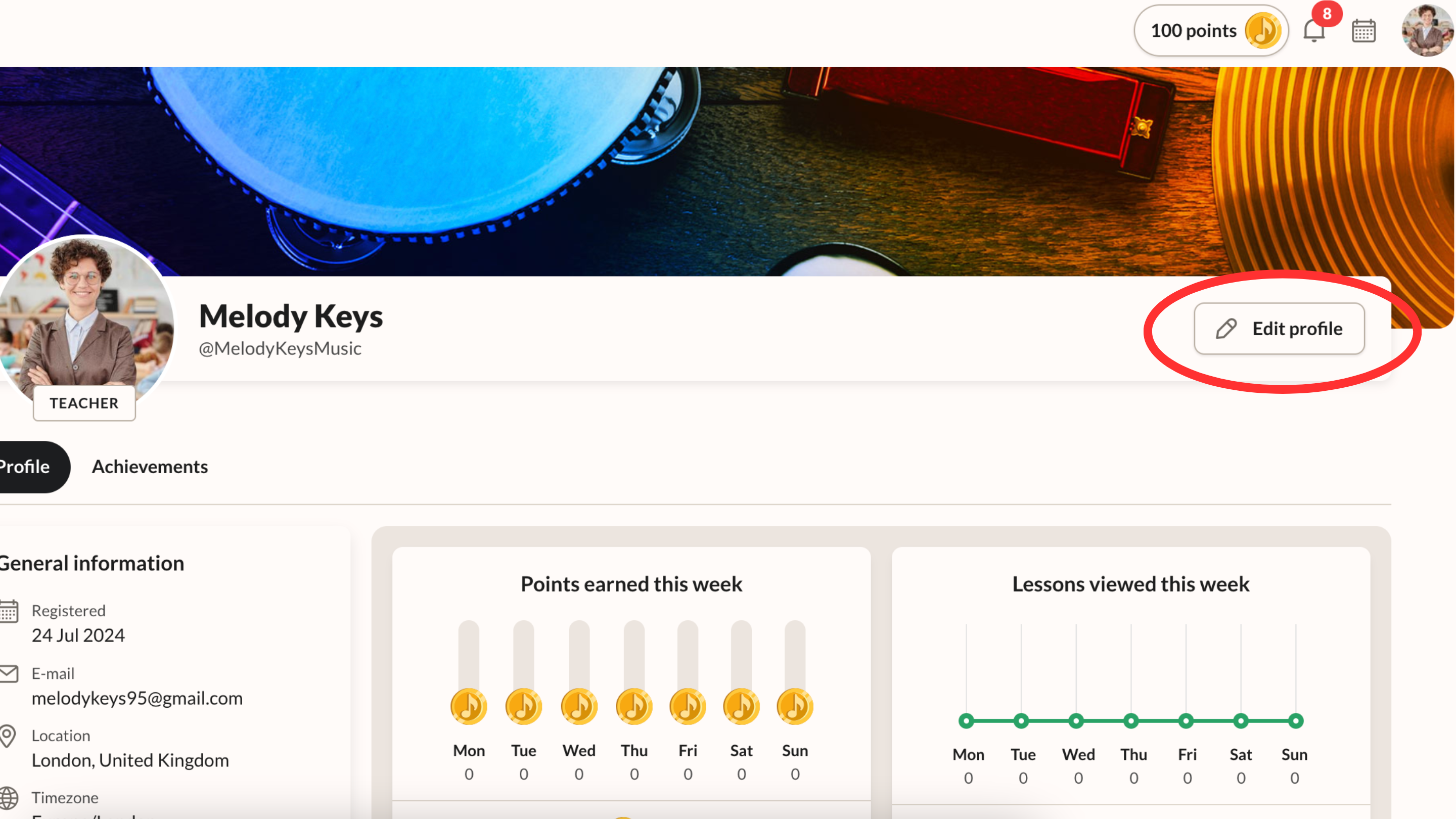
3. Click ‘Edit profile’ in the top right corner.
4. Click ‘Notification settings’ on the left menu and adjust your settings as needed.
Method 2:
1. Click the notification bell to the left of your profile icon.
2. Click the cogwheel button at the top of the menu.
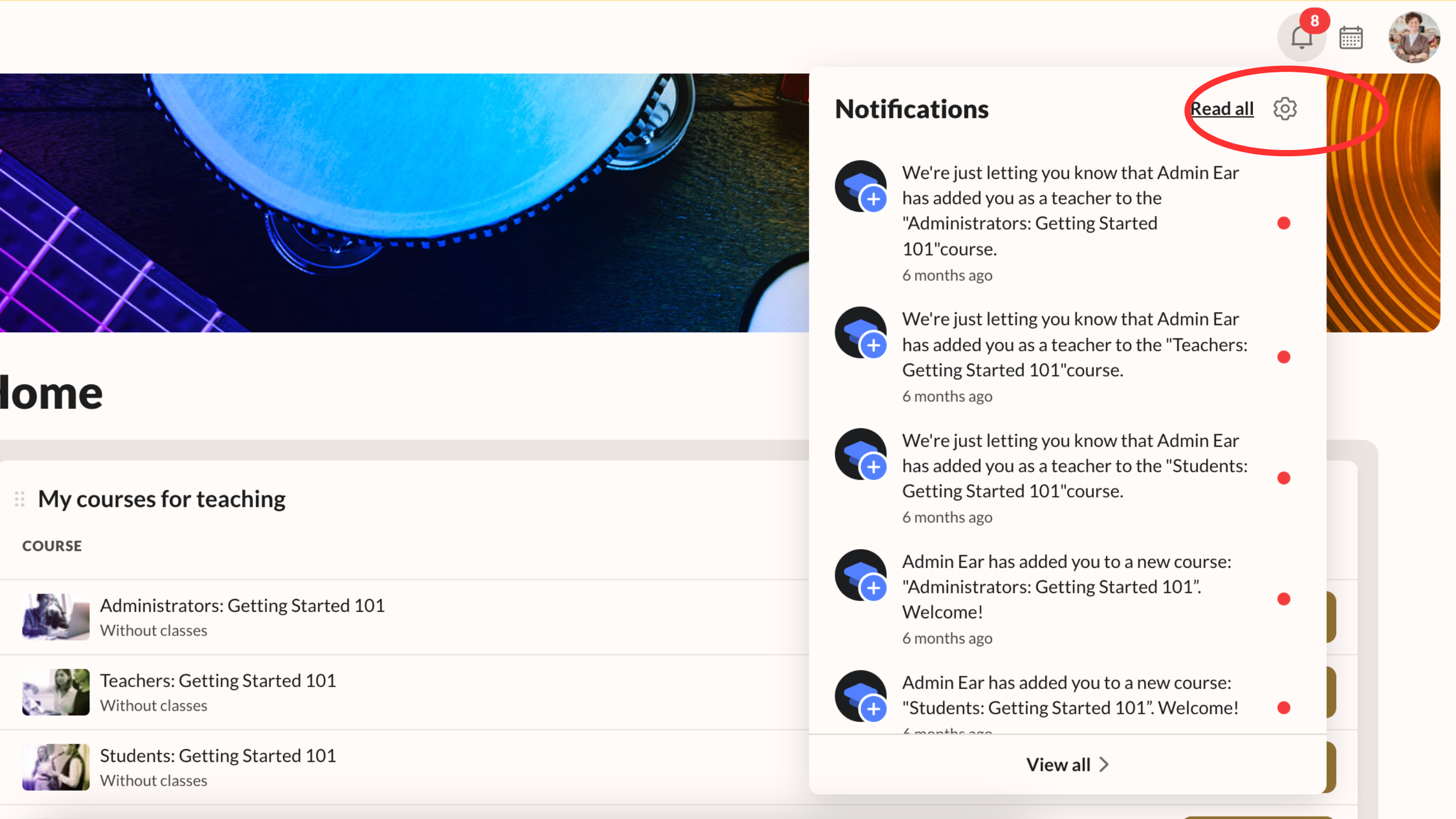
This takes you directly to your notification settings.