
Resetting your password
If you’ve forgotten your password or need to reset it, please follow these steps:
1. Go to the login page.
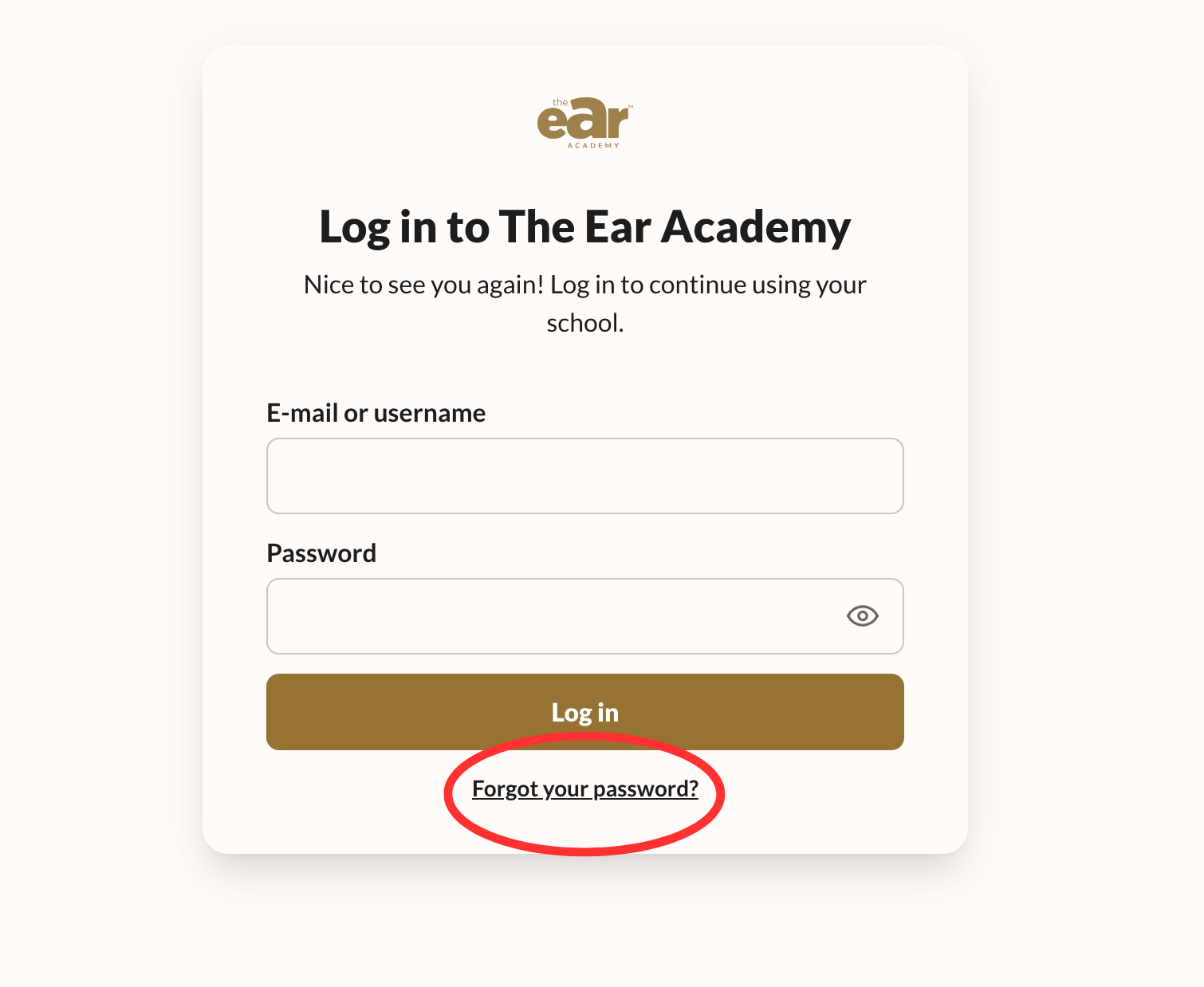
2. Click ‘Forgot your password?’ below the login fields.
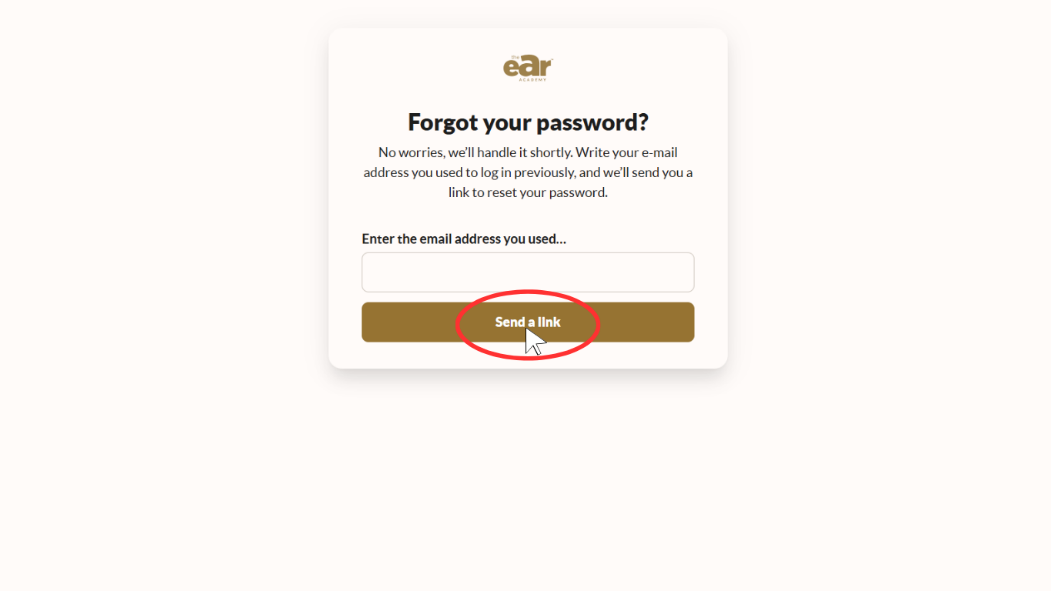
3. Enter the email address associated with your Ear Academy account and click 'send a link.'
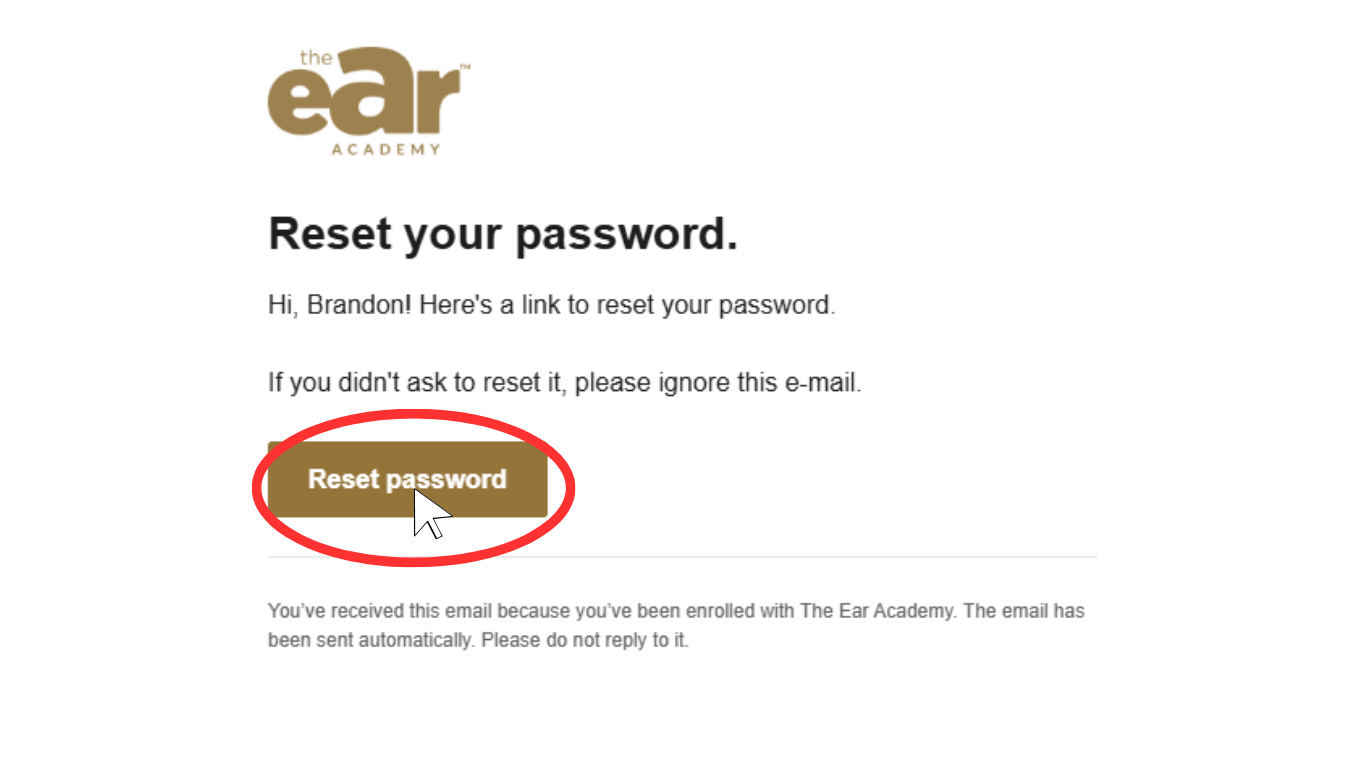
4. Check your email inbox for a password reset link (make sure to also check your spam/junk folder).
5. Click 'Reset password' and follow the instructions to set a new password.
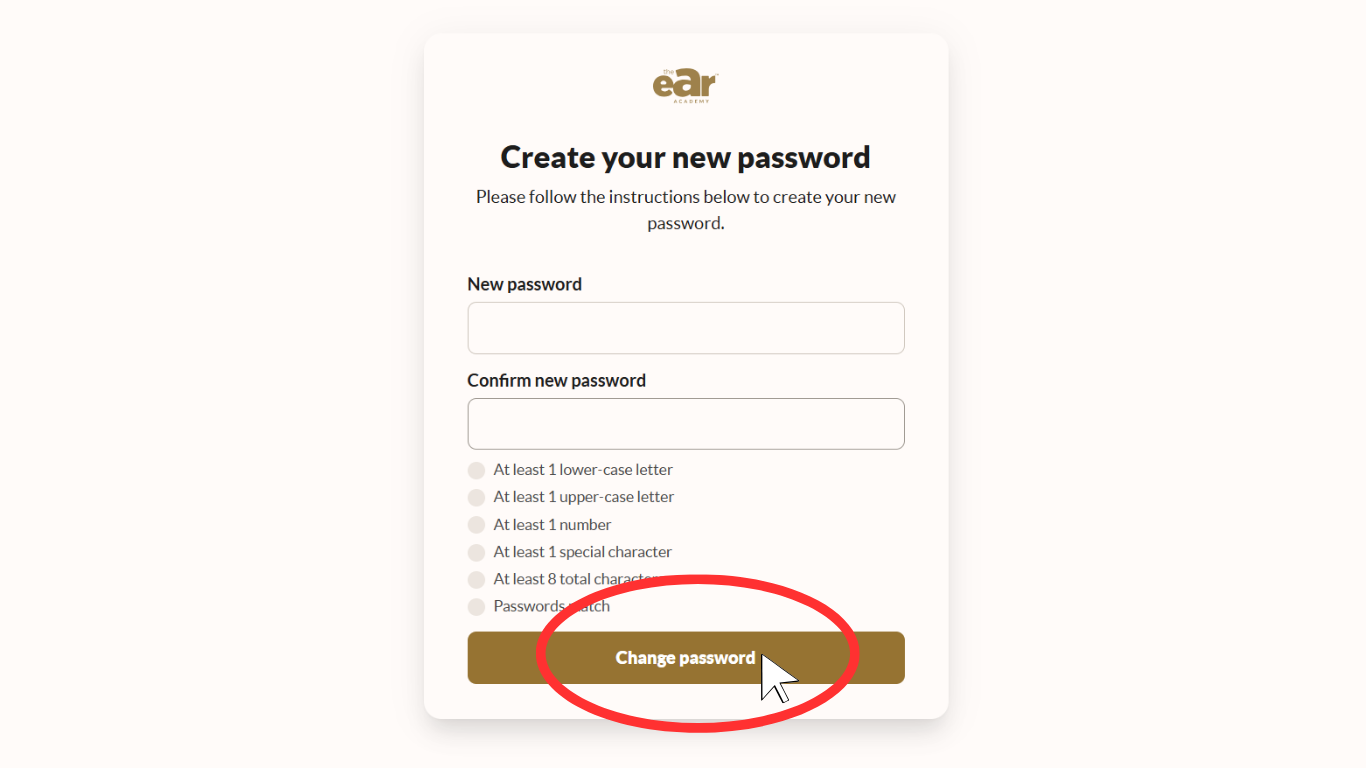
6. Enter your new password and click 'Change password'.
7. Once you have changed your password, you can return to the login page and sign in with your new password.